No Teams Transcript Does Not Mean No Retained Copilot Data
Teams Copilot can work without recording or persistent transcription, while prompts and responses may still be retained in Microsoft 365. Here is the difference.
Turning off the Teams meeting transcript does not necessarily leave the organization with no retained Copilot data.
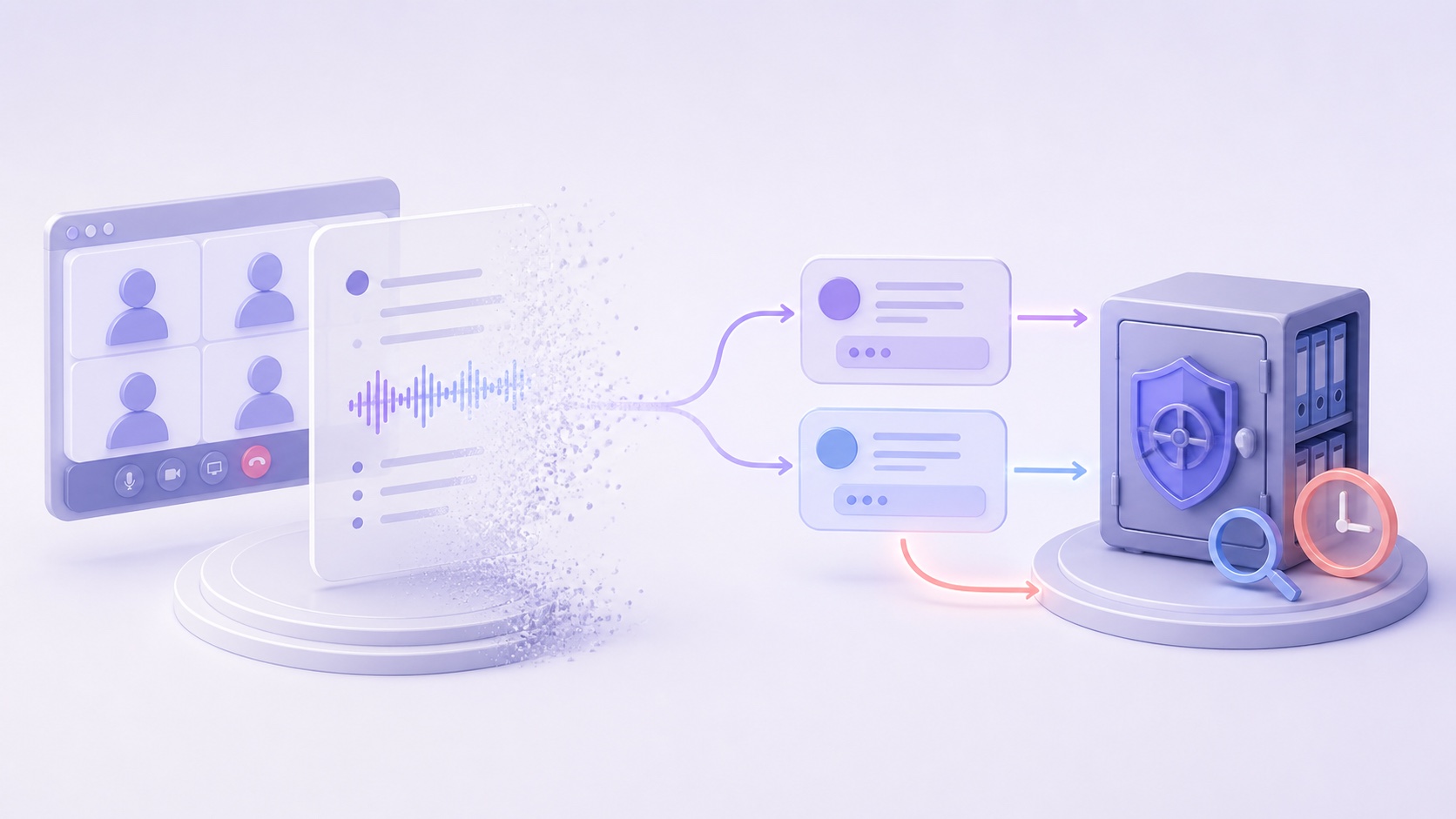
Microsoft documents a mode in which Copilot can use meeting audio and contextual signals without creating a persistent meeting transcript. That sounds ephemeral—and part of it is. But Copilot prompts and responses may still be retained in the Microsoft 365 compliance substrate, governed by Microsoft Purview retention policies, and available to eDiscovery.
These statements are not contradictory. They describe different records.
The distinction became more important on August 25, 2026, when Microsoft’s Microsoft 365 Copilot release notes announced that Copilot Chat is expanding across Teams chats, channels, calls, and meetings on Windows, Mac, and the web.
As AI becomes available in more communication surfaces, administrators need to know which content is temporary, which is visible to users, and which remains for compliance purposes.
What Microsoft released
The August 25 release notes say Microsoft 365 Copilot Chat is now accessible in Teams chats, channels, calling, and meetings, with mobile support coming later. Microsoft describes a gradual rollout model, so availability can vary across tenants.
This broadens where users can invoke Copilot. It does not replace the existing meeting-level choices that organizers and administrators use to control whether Copilot works only during a meeting or also afterward with a persistent transcript.
Microsoft’s support documentation for using Copilot without recording or transcription explains the “Only during the meeting” option. In that mode:
- transcription is not required;
- Copilot uses meeting audio and contextual signals to generate responses;
- a persistent meeting transcript is not created when transcription is off;
- late joiners can use Copilot to access content from the point when another participant initiated Copilot; and
- prompts and responses may be retained according to the organization’s Purview policies.
The last point is easy to miss if “no transcript” is treated as “no record.”
Four different data layers exist in one Copilot meeting
The cleanest way to understand the feature is to separate four layers.
| Layer | Purpose | Persistent by default? | Who governs it? |
|---|---|---|---|
| Meeting audio and contextual signals | Let Copilot understand the live conversation | Used during the meeting; Microsoft says no meeting transcript is created when transcription is off | Teams meeting and Copilot configuration |
| Persistent meeting transcript | Supports post-meeting recap and transcript-based features | Only when transcription is enabled | Teams recording/transcription policies |
| Copilot prompts and responses | The questions a user asks and the answers Copilot returns | May be retained in the Microsoft 365 compliance substrate | Purview retention and eDiscovery policies |
| Meeting chat and shared files | Participant collaboration around the meeting | Separate Microsoft 365 records | Teams, SharePoint, OneDrive, and Purview policies |
Disabling one layer does not automatically delete or disable the others.
An organization can therefore have no saved meeting transcript while retaining a user’s prompt asking, “Summarize the objections to the restructuring plan,” and Copilot’s answer. That interaction may contain a condensed version of sensitive meeting content even though the underlying transcript was not preserved.
“Only during the meeting” is partly ephemeral
The meeting transcript distinction is real and should not be minimized.
Microsoft says Copilot can process meeting audio during the call without creating a persistent transcript when transcription is off. After the meeting ends, participants do not gain the same transcript-grounded, post-meeting Copilot experience they would receive from a saved transcript.
That can reduce the durable record compared with recording and transcribing the entire meeting. It may be appropriate where an organization wants live assistance but does not want a complete text record of everything said.
However, the feature is not equivalent to an off-the-record conversation. During the meeting, Copilot still processes audio and context. Late-joining participants can query content from the point Copilot was activated. Individual Copilot interactions create a separate data category.
The accurate description is therefore:
The full meeting transcript can be temporary or absent, while selected Copilot interactions may remain.
Purview can retain what the user no longer sees
Microsoft’s Purview retention documentation for Copilot and AI apps explains that Copilot messages can be stored in users’ mailboxes, including hidden folders used for compliance retention.
It warns that what appears in the Copilot interface is not an accurate reflection of whether content is retained or permanently deleted for compliance purposes. Messages can remain searchable through eDiscovery until the retention and deletion processes finish. Holds or overlapping retention policies can extend preservation.
This creates two different notions of deletion:
- User-visible deletion: the chat or interaction no longer appears in the application.
- Compliance deletion: the retained copy has aged out of applicable policies and holds and has been permanently removed from the compliance store.
Closing a pane or deleting visible history is not proof that the compliance copy has disappeared.
That design is intentional for regulated retention and investigations. It is still important for privacy notices, records schedules, data-subject requests, litigation holds, and internal expectations.
Private prompts are not the same as private infrastructure
Microsoft says other meeting participants do not see a user’s private Copilot conversation merely because they attended the same meeting. That is an important access boundary.
But “private from other attendees” does not mean “outside organizational compliance systems.” Depending on licensing, configuration, policy, and legal process, retained Copilot interactions may be searchable by authorized compliance or eDiscovery personnel.
Organizations should be precise when communicating this to employees. A policy that says “Copilot questions are private” may lead users to assume more than the product guarantees. A clearer statement would distinguish:
- visibility to other meeting participants;
- access by the individual user;
- access by Microsoft 365 administrators or compliance roles;
- retention under Purview; and
- production through eDiscovery or legal process.
The prompt can become the sensitive record
Copilot interactions are not always harmless metadata. A prompt and response may reproduce the substance of the meeting:
- “List every employee discussed for redundancy.”
- “Summarize the client’s objections to the settlement.”
- “What security weaknesses did the incident team identify?”
- “Which acquisition target did the board prefer?”
Even if no complete transcript survives, the answer may preserve names, decisions, allegations, health information, financial details, legal strategy, or trade secrets.
This is a broader lesson for AI assistants: minimizing the source record does not help if the derived output captures the same sensitive content and receives a longer retention period.
Treat prompts and responses as records in their own right. Classify them by content and purpose, not by the fact that they came from an AI pane.
What Microsoft 365 administrators should review
Before enabling Copilot broadly in Teams meetings, administrators should answer:
- Which users and meeting types may use Copilot?
- Is Copilot allowed only during meetings, or also after them with transcription?
- Who may start Copilot, and what notice do participants receive?
- Which Purview retention policy covers Copilot interactions?
- Are the interactions included in eDiscovery procedures and legal holds?
- Can compliance teams distinguish prompts, responses, transcripts, chat, and recordings?
- What happens when a user deletes visible Copilot history?
- What happens when an employee leaves and the mailbox becomes inactive?
- Are sensitive meeting categories excluded or separately configured?
- Does employee training explain that “no transcript” is not necessarily “no retained AI output”?
The answers will differ across tenants. Microsoft’s documentation describes available behavior; the organization’s policies determine the actual retention outcome.
What local-first changes
A local meeting assistant has a different compliance boundary.
With Summit and Local Models selected, meeting audio is captured on the Mac, transcription and speaker separation run locally, the summary is generated locally, and the meeting library and search index remain on the device. Summit does not operate a cloud repository of Copilot-style prompts and responses or a compliance substrate containing users’ meeting histories.
That can reduce vendor-side retention, cross-tenant access, centralized discovery surfaces, and uncertainty about whether a hidden server copy remains after the user closes the app.
It does not make the record legally invisible. A locally stored transcript or summary can still be responsive to litigation, an access request, an investigation, or a regulated retention rule. An employer can still impose a legal hold. A compromised or unlocked Mac can still expose the files. User exports can create additional copies.
Summit also supports optional hosted language models. When a user configures one, relevant transcript excerpts are sent to that provider under its own terms. The published architecture makes that boundary explicit so users can choose Local Models when meeting content should remain on the Mac.
The local-first benefit is not “no records.” It is fewer automatic custodians and a record stored under the user’s or organization’s direct endpoint controls.
A better rule: name every record
“Recorded” and “not recorded” are too blunt for modern meeting AI.
For each meeting configuration, document separately whether the system creates:
- raw audio or video;
- temporary speech-to-text data;
- a persistent transcript;
- AI prompts and responses;
- a summary, recap, tasks, or decisions;
- meeting chat and files;
- search indexes or embeddings; and
- audit, retention, or eDiscovery copies.
Then apply purpose, access, retention, and deletion rules to each artifact.
This inventory prevents two opposite mistakes: assuming every byte is permanently recorded, or assuming that turning off the transcript leaves nothing behind.
The bottom line
Microsoft is not secretly contradicting its “without transcribing” feature. It is documenting two separate behaviors:
- Teams can avoid creating a persistent meeting transcript while Copilot works during the meeting.
- Copilot prompts and responses may still be retained and discoverable under the organization’s Purview configuration.
Both can be true.
As Copilot Chat expands across Teams meetings, calls, chats, and channels, organizations should stop treating the transcript toggle as the complete data-retention policy. The prompt, response, chat, file, recording, and compliance copy each have their own lifecycle.
For teams that want a simpler boundary, Summit offers a fully local path without a vendor-hosted meeting or Copilot history. Review exactly what stays on the Mac and what optional choices send elsewhere, and apply the same record-by-record analysis before approving any meeting AI.
This article provides general product, privacy, and records-management information, not legal advice. Microsoft 365 behavior depends on licensing, rollout status, tenant settings, Purview policies, and legal holds. Verify your current configuration and Microsoft’s current documentation.
Sources: Microsoft 365 Copilot release notes, Microsoft Support: use Copilot without transcribing or recording a Teams meeting or call, Microsoft Purview retention for Copilot and AI apps, and Summit data-flow and security architecture.