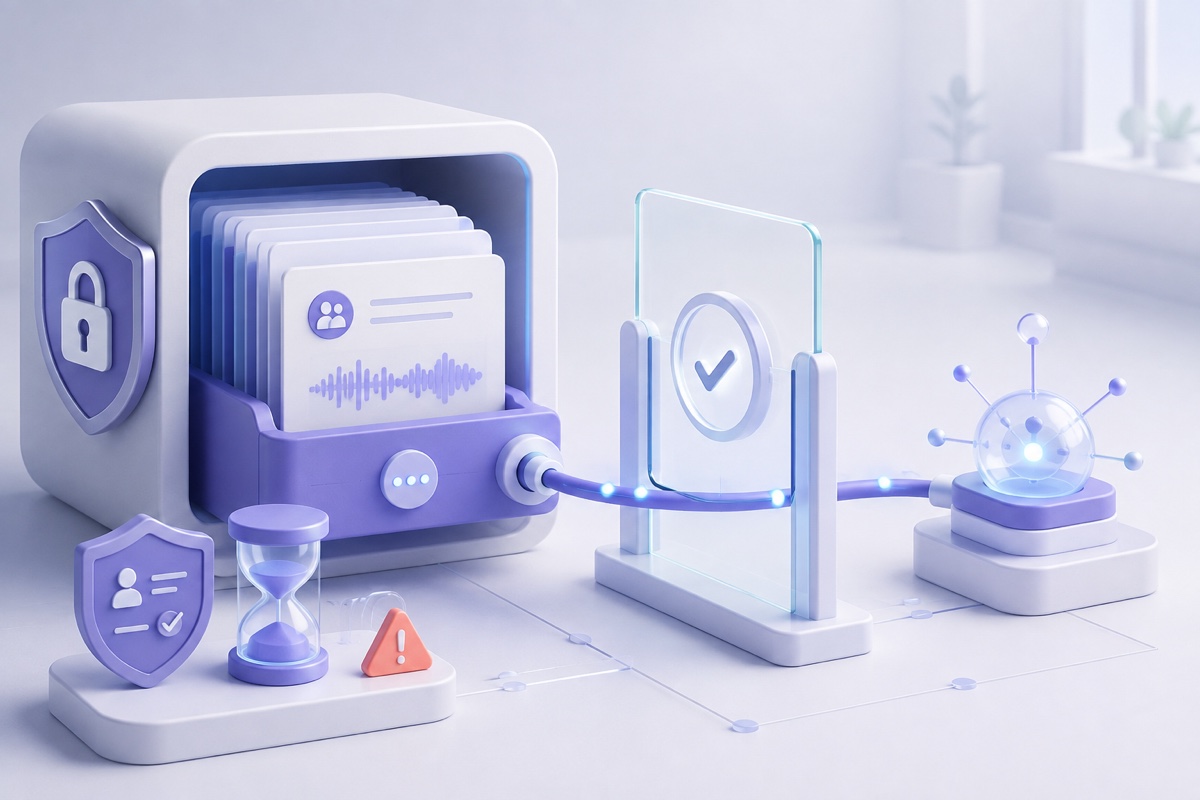
Your Meeting Archive Is Now an MCP Data Source: A Privacy Checklist
Meeting-note MCP connectors make entire transcript archives available to AI assistants. Here is how to assess permissions, retention, automation, and local alternatives.
Connecting a meeting assistant to an AI agent changes the privacy question.
The old question was: Who stores the meeting?
The new question is: Which AI clients can search the archive, what can they retrieve, where does retrieved content go, and what can they do with it next?
This shift is now visible across major meeting-note products. Fireflies published a detailed Claude connector guide on August 31, 2026. Read AI updated its MCP capability guide on September 2. Both describe AI assistants retrieving meeting summaries, transcripts, participants, and action items, including analysis across many meetings.
That is useful. It also turns a concentrated archive of workplace conversations into an agent-accessible data source.
MCP can provide a structured, permissioned interface. It does not decide whether the connected data is appropriate, necessary, accurately permissioned, minimally retained, or safe to reuse. Those remain product and organisational responsibilities.
What MCP changes
The Model Context Protocol is a standard way for an AI host or client to discover and call tools, read resources, and work with outside systems. It is not itself a meeting database, privacy policy, or permission model for the underlying service.
In a typical remote meeting connector:
- the meeting vendor stores transcripts, summaries, and metadata;
- a user authorises an AI client to access the vendor’s MCP server;
- the client invokes tools to search for or retrieve meeting content;
- selected content is returned to the AI client and model;
- the model produces a response or new artifact; and
- that output may be retained, shared, exported, or passed to another integration.
The original permissions still matter, but the data has crossed a new boundary. The AI platform’s terms, retention controls, administrators, and downstream connectors can now matter too.
Why a meeting archive is unusually sensitive
A single transcript may contain a customer objection, hiring discussion, health disclosure, security incident, legal position, or product plan. A searchable archive can reveal patterns across months of conversations:
- every promise made to a customer;
- all mentions of an employee or candidate;
- recurring objections during sales calls;
- undisclosed product defects;
- acquisition or restructuring discussions;
- authentication details spoken during troubleshooting; or
- statements that were never intended to become a permanent organisational record.
Read AI’s documentation gives examples such as comparing themes across discovery calls, retrieving decisions and owners, creating deliverables, combining meetings with email or CRM context, and running recurring workflows. Fireflies describes searching hundreds of calls and turning the results into proposals, renewal briefs, and customer analysis.
The privacy impact therefore comes from aggregation and reuse, not only access to one meeting.
Permission inheritance is useful—but not the whole answer
Fireflies says its Claude connector follows the permissions a user already has in Fireflies. Claude should not retrieve a colleague’s meeting unless that meeting is already available to the connected user. That is an important control.
It still leaves several questions:
- Were the original meeting permissions correct?
- Did participants expect the transcript to be searchable by a separate AI platform?
- Does a shared team space expose more meetings than the user remembers?
- What happens when a meeting is later unshared or its participants change roles?
- Can administrators see or retain the AI interaction?
- Is the connector authorised for one meeting, one workspace, or the user’s entire accessible archive?
- Does the client cache retrieved content or include it in a new artifact?
An access-control check answers “May this account retrieve this record?” It does not answer “Should this content be sent to this model for this purpose?”
A connector creates a second terms and retention boundary
Fireflies is unusually explicit about the handoff. Its connector guide says its Zero-Day Retention arrangements for core subprocessors do not apply to data processed, stored, or transmitted by external platforms through MCP. Once content reaches Claude or another external platform, that platform’s terms govern the new processing.
This does not mean the connector is defective. It means two products are involved.
Before connecting a meeting archive, identify:
| Stage | Questions to answer |
|---|---|
| Meeting service | What audio, transcript, summary, and metadata are stored? |
| MCP server | Which tools and resources are exposed, and under whose permissions? |
| AI client | Which data is placed into the model context? |
| Model provider | Is content retained, logged, or used for training under this plan? |
| Output | Is the response stored in chat history, documents, CRM, or another connector? |
| Automation | Can the workflow run later without a person reviewing each retrieval? |
“No model training” and “no retention” are different claims. Encryption in transit does not answer either one.
Standing authorisation changes the threat model
Copying one transcript into an AI chat is an obvious disclosure. An MCP connection can be quieter because the user authorises it once and then asks natural-language questions later.
That convenience creates a standing capability. Risks include:
- a stolen or poorly stored token;
- an account compromise that reaches both chat and meeting history;
- scopes broader than the user’s immediate task;
- an authorised client retrieving more meetings than intended;
- stale access after a role or team change;
- sensitive content reproduced in model responses;
- automated jobs repeatedly querying new meetings; and
- logs that disclose titles, attendees, search terms, or retrieved text.
The current MCP authorization specification requires protections including resource-bound tokens and validation that a token was issued for the intended MCP server. It explicitly prohibits token passthrough to downstream services. These controls reduce protocol-level attacks such as token misuse and confused-deputy problems.
They do not replace least-privilege product design, short retention, revocation, auditability, or appropriate meeting-level permissions.
Meeting content should be treated as untrusted input
Transcripts contain words supplied by many people. An AI client may also combine those words with tools capable of drafting emails, updating systems, or publishing documents.
That creates a prompt-injection concern: text inside a transcript could be interpreted as an instruction rather than as evidence to summarise. The risk is greater when an automated workflow retrieves broad sets of meetings and is allowed to take actions without review.
A meeting-note connector should therefore preserve the distinction between:
- content: what participants said;
- instructions: what the authorised user asked the agent to do; and
- actions: changes the connected tools are permitted to make.
Use read-only access where practical. Require confirmation before external writes. Keep tool permissions narrower than archive-reading permissions. Do not let a sentence spoken in a meeting silently authorise an email, deletion, purchase, or account change.
Retention must include derived outputs
Deleting the source transcript does not necessarily delete information copied into:
- the AI conversation;
- a generated report or presentation;
- email or messaging drafts;
- a CRM field;
- local client caches;
- audit or diagnostic logs; or
- backups and legal holds.
The organisation’s record inventory should include the original meeting, the connector request, the content returned, the model response, and every destination to which the response is sent.
This is the same lesson discussed in our guide to ownership and control of AI meeting notes: a contractual right to meeting data does not tell you where every copy lives or who can practically reach it.
A privacy and security checklist before connecting
Data and purpose
- Which meeting types are in scope—and which are always excluded?
- Does the use case require full transcripts, or would summaries and selected meetings be enough?
- Were participants told their words could be queried by another AI service?
- Is cross-meeting analysis compatible with the original collection purpose?
Access and authorisation
- Does the connector use individual identity and existing meeting permissions?
- Can access be restricted by workspace, folder, date, meeting type, or tool?
- Are tokens audience-bound, securely stored, short-lived, and revocable?
- What happens immediately when a user leaves or changes roles?
- Can administrators see who connected the service and which meetings were retrieved?
Processing and retention
- Which AI client and model provider receive retrieved content?
- What are their retention, training, support-access, and data-residency terms for the selected plan?
- Are prompts and responses covered by organisational retention and eDiscovery rules?
- Can source records and derived outputs be located and deleted together?
Automation and action
- Can workflows run on a schedule without a person present?
- Can the connected client write to email, CRM, documents, or chat systems?
- Which actions require a fresh confirmation?
- Is retrieved meeting text treated as untrusted content rather than executable instruction?
- Are failures, excessive retrieval, and unusual queries detectable?
If a vendor cannot answer these questions, the connector is not ready for a sensitive archive.
Remote MCP and local MCP are different architectures
An MCP server can be remote or local. The protocol name alone does not tell you where data travels.
| Question | Remote meeting-service MCP | Local meeting-library MCP |
|---|---|---|
| Where is the source archive? | Vendor infrastructure | User-controlled endpoint |
| Where does the tool request go? | Across the network to the vendor | Potentially only to loopback on the device |
| Who may retain retrieved content? | Meeting vendor, AI platform, and configured destinations | Local client by default; external services only if separately selected |
| Primary security boundary | Cloud identity, scopes, tenant permissions, vendor controls | Endpoint security, local authorisation, client permissions |
| Does “local” eliminate risk? | Not applicable | No—an authorised or compromised local client may still expose data |
The meaningful questions are transport, endpoint, authentication, permitted tools, and the next model—not whether a product merely advertises “MCP support.”
How Summit’s local MCP boundary works
Summit’s published security architecture documents a local MCP server that is:
- disabled by default;
- bound to
127.0.0.1, so it accepts loopback connections rather than internet connections; - protected by an OAuth grant approved in a consent dialog or a bearer token held only in memory; and
- capable of returning meeting lists, search results, transcripts, topics, and action items to an authorised local client.
With Local Models selected, capture, transcription, speaker separation, summarisation, storage, and search can also remain on the Mac. That avoids creating a vendor-hosted meeting archive merely to make it queryable.
This is a narrower data path, not a security guarantee. A malicious or over-permissioned local client can still request sensitive records. Malware or an unlocked Mac can still access local information. Enabling a hosted language model can send transcript excerpts to that provider. Optional iCloud sync creates another disclosed path. Local records rely on macOS sandboxing, file permissions, and FileVault when enabled rather than separate application-level encryption.
The value is inspectable boundaries and user choice: local by default, connector off by default, and external processing only when deliberately configured.
A safer rollout pattern
For teams adopting meeting-note MCP connectors, a defensible rollout looks like this:
- begin with a small, non-sensitive meeting collection;
- use named user identities rather than shared tokens;
- expose only the minimum retrieval tools;
- disable external write actions during evaluation;
- verify client and model retention settings;
- test revocation and employee offboarding;
- inspect audit records and derived outputs;
- add explicit rules for HR, legal, healthcare, security, and board meetings; and
- require review before scheduled workflows publish or update another system.
Expand only after the organisation can explain the full path from spoken sentence to final artifact.
The bottom line
MCP makes meeting archives dramatically more useful. It also makes them easier to query at scale and combine with other organisational data.
Existing meeting permissions, OAuth, and protocol-level security are essential. They are not the end of the privacy analysis. Teams must also govern purpose, archive scope, the second platform’s terms, retention of derived outputs, automation, and the actions an agent can take.
If the meeting library can stay on the user’s device, a local MCP server can provide much of the same utility with fewer automatic custodians. The remaining endpoint and authorisation risks should be stated plainly, not hidden behind the word “local.”
Primary sources
- Fireflies: Claude connector guide
- Read AI: MCP server capabilities
- Anthropic: Using connectors with Claude
- Model Context Protocol: Authorization specification
- Model Context Protocol: Core security principles
- Summit: Data-flow and security architecture
This article provides general privacy and security information, not legal advice. Product capabilities, connector scopes, and retention terms change. Verify the current configuration and contractual terms before connecting a sensitive meeting archive.
Try Summit on macOS for a local meeting library with an optional loopback-only MCP server.