"Only Me" Doesn't Mean What You Think It Means
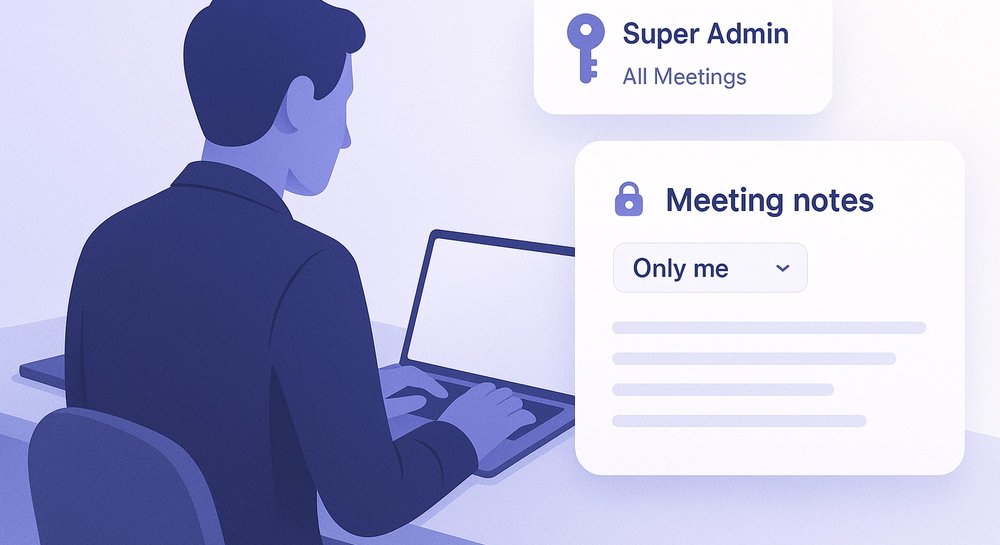
Fireflies has a Super Admin role that bypasses all meeting privacy settings — including ones marked 'Only Me'. It's a documented feature, not a bug.
When you create a meeting in Fireflies and set the privacy to “Only Me,” the assumption feels obvious: only you can see that recording. Your 1:1 with your manager. A difficult career conversation. A retrospective where you were honest about what wasn’t working.
But Fireflies’ official documentation says something different:
“Super Admin provides unrestricted access to all workspace meetings, including private ones… bypasses all meeting privacy restrictions”
“Access all meetings including those marked ‘Only Me’”
This is not a bug. It’s a documented Enterprise feature.
What Super Admin actually is
Fireflies has three access levels: Member, Admin, and Super Admin. Super Admin is an Enterprise-exclusive role. Here’s what it can do, straight from their documentation:
| Capability | Super Admin | Admin | Member |
|---|---|---|---|
| Meeting access | All meetings (bypasses privacy) | Shared meetings only | Shared meetings only |
| Edit meetings | Any meeting | Accessible only | Own only |
| AI Skills scope | Runs on all meetings | Accessible meetings | Own meetings |
| API access | All workspace meetings | Own meetings | Own meetings |
The Super Admin role is assigned by another Super Admin or the workspace owner — typically an IT administrator or someone in company leadership.
Why this matters for your 1:1s
Most people worry about external data exposure — that Fireflies, Otter, or Granola store their recordings on company servers somewhere. That’s real, and it matters.
But there’s a second vector that gets less attention: one-way corporate transparency.
Your 1:1 with your manager is a work meeting. You’re using the corporate Fireflies instance because your company bought it. And whoever holds the Super Admin role in that workspace has technical access to that recording — even if you marked it “Only Me.”
This doesn’t mean it’s happening. Most IT teams aren’t monitoring individual 1:1s. But the access exists, and it’s documented.
”But it’s a corporate tool”
Fair point. Corporate tools have always had admin access. Gmail on Google Workspace, Slack, Zoom — everywhere has an admin who can request data when needed.
The difference is that a meeting recording isn’t a message thread. It’s a voice conversation you had in real time, with a specific person, saying things you expected only they would hear. It carries tone, hesitation, thinking out loud.
If you talked about a job offer, tension in the team, or concerns about your manager — that’s now sitting somewhere, accessible to people you weren’t talking to.
What local processing changes
Summit stores recordings locally — on your Mac. There’s no workspace with a Super Admin role. No cloud with a corporate contract.
That means your 1:1 is a file on your disk. Your employer can’t ask Summit to “provide an employee’s recordings.” Summit doesn’t have them.
This isn’t a position against Fireflies. They documented this honestly. It’s just a different architecture with different consequences.
The bottom line
Fireflies wrote this clearly. “Super Admin bypasses all meeting privacy restrictions” is transparent documentation, not a hidden vulnerability.
But most people who click “Only Me” haven’t read that page. They assume it means the same thing it would on their personal phone.
It doesn’t.
Sources: