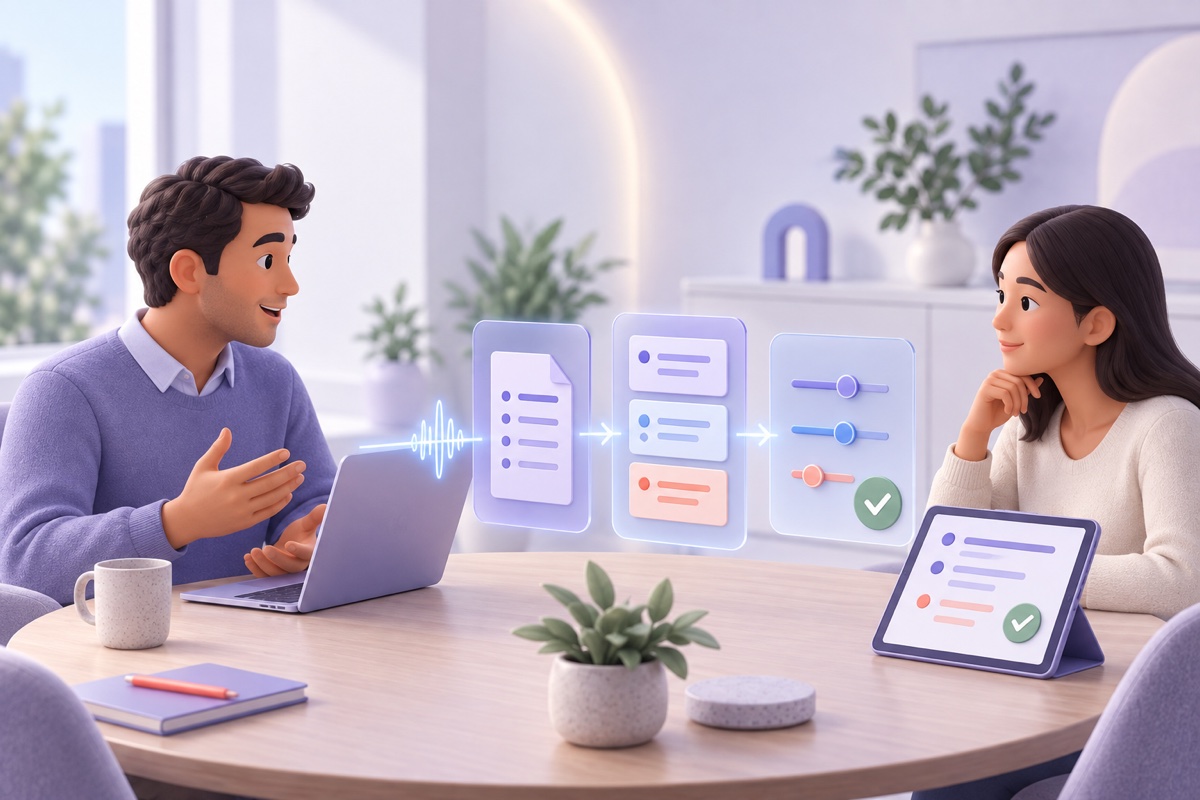
When AI Meeting Notes Can Be a Reasonable Adjustment at Work
AI transcription or meeting notes can remove a workplace barrier, but the right adjustment is individual, purpose-limited, accurate, and privacy-conscious.
For some disabled workers, spoken meetings create a barrier before the first action item is assigned.
A Deaf or hard-of-hearing employee may need speech-to-text access. A dyslexic or neurodivergent employee may find listening and taking accurate notes at the same time difficult. Someone whose disability affects memory, attention, or information processing may need a reliable written record to review after the meeting.
AI transcription or meeting notes may help remove that disadvantage. In the right circumstances, they can form part of a reasonable adjustment.
That does not mean every workplace meeting should be recorded, that an AI summary is always accessible, or that a disabled employee must accept a particular tool. The adjustment should start with the barrier and the worker’s needs—not with software the employer already wants to deploy.
This guide focuses on employment in England, Scotland, and Wales, where the Equality Act 2010 applies. Northern Ireland has a separate disability-discrimination framework. It provides general information, not legal advice or an assessment of what is reasonable in a particular case.
The legal duty is to remove disadvantage—not to deploy AI
Section 20 of the Equality Act 2010 requires reasonable steps where an employer’s provision, criterion, or practice places a disabled person at a substantial disadvantage compared with people who are not disabled. The duty can also involve physical features and auxiliary aids.
In employment, the duty is subject to the knowledge provisions in Schedule 8, paragraph 20: an employer is not subject to the duty if it neither knows nor could reasonably be expected to know that the worker has a disability and is likely to experience the relevant disadvantage. A formal request is not always necessary for the duty to arise.
Acas explains that reasonableness depends on effectiveness, practicality, affordability, and health and safety. The employer must pay for adjustments it is legally required to make; those costs cannot be passed to the disabled worker. Access to Work support does not replace that obligation.
The Act does not prescribe “AI meeting notes” as the answer. Depending on the worker and the meeting, a reasonable step might instead be:
- an agenda and papers supplied in advance;
- live captions or a speech-to-text reporter;
- a British Sign Language interpreter;
- a human note-taker;
- permission for a support worker to attend;
- written questions and follow-up;
- a slower meeting pace with regular breaks;
- a recording or transcript for personal review; or
- an agreed AI-generated draft checked by a human.
The government’s Access to Work staff guide recognises note-takers and speech-to-text support in workplace meetings. It also distinguishes between forms of support: a Deaf worker may use speech-to-text in one setting and a BSL interpreter in another.
The outcome matters more than the product category. If a tool does not provide timely, accurate, usable access for the individual, calling it “AI accessibility” does not make it an effective adjustment.
Start with the barrier and the required outcome
Acas guidance says employers and employees should work together, discuss how proposed adjustments would operate, agree what to try, and set a review plan. It also notes that both sides should take notes and that asking a colleague to attend as a note-taker may be appropriate.
That collaborative approach is especially important with meeting technology. Begin with questions such as:
- Which meetings create the disadvantage?
- Is access needed live, after the meeting, or both?
- Does the employee need near-verbatim text, concise decisions, or a personal memory aid?
- Must speaker identity be reliable?
- How quickly must the output be available?
- Does the employee use assistive technology that requires a particular format?
- Are there meetings where a trained human communicator is necessary?
- Who should receive the output, and when should it be deleted?
Do not require the employee to disclose more medical detail than is needed to understand and address the barrier. The employer may need enough information to assess the request; it does not automatically need a full diagnosis or medical history.
The agreed result should be practical. “Enable transcription” is not a complete adjustment plan if nobody checks whether the employee can read it, access it promptly, or correct serious errors.
Live access, a transcript, and an AI summary solve different problems
Meeting tools can produce several artifacts, and they are not substitutes for one another.
| Tool or output | Potential accessibility purpose | Important limitation |
|---|---|---|
| Live captions | Follow speech during the meeting | Delay and recognition errors can impede participation; captions may disappear afterward |
| Speech-to-text transcript | Detailed live or post-meeting access | Speaker labels, names, technical terms, and overlapping speech may be wrong |
| Human note-taker | Tailored record of relevant discussion | May not provide verbatim or real-time access and requires availability |
| AI summary | Lower-cognitive-load review of decisions and actions | The model chooses what to omit and may invent certainty or agreement |
| Audio recording | Replay tone and exact speech | Often the least accessible output on its own and the most intrusive artifact to retain |
A worker who needs live communication access cannot be adequately supported by a summary delivered the following morning. A worker who needs a concise memory aid may find a 70-page transcript unusable. A person who relies on exact wording may be harmed by a polished but inaccurate recap.
The adjustment should specify the artifact that addresses the disadvantage instead of collecting every artifact because the platform makes that easy.
Recording can be an adjustment without consent being the legal basis
A recurring mistake is to assume that every participant must provide GDPR consent whenever a meeting is recorded. Consent is one possible basis in some circumstances; it is not the only basis, and it can be difficult to rely on in employment because of the power imbalance.
The Cabinet Office’s Digital Meetings privacy notice gives a concrete public-sector example. It says recording may be necessary as a reasonable adjustment for a disabled colleague. In those individual circumstances, it relies on legal obligation rather than participant consent for ordinary personal data, and on the employment-law condition for special-category data. It deletes adjustment recordings within a week after they complete their intended purpose.
That notice is an example of one controller’s documented analysis—not a universal template. Another employer must identify and document its own:
- Article 6 lawful basis;
- Article 9 condition if health or other special-category data is processed;
- relevant Data Protection Act 2018 Schedule 1 condition and safeguards where required;
- purpose, necessity, and proportionality;
- whether a data protection impact assessment (DPIA) is required;
- transparency information;
- processors, transfers, access controls, and retention; and
- separate legal or confidentiality rules that apply to the conversation.
The ICO’s worker health-information guidance says employers need both an Article 6 basis and an Article 9 condition for health information. Processing under the employment-law condition must be necessary, reasonable, and proportionate, and it must not collect more information than needed.
Reliance on Article 9(2)(b) together with Data Protection Act 2018 Schedule 1, paragraph 1 also requires an appropriate policy document to be in place when processing occurs. That document must explain the procedures for complying with the data-protection principles and the policies for retention and erasure of the data.
Assess whether a DPIA is required before introducing the workflow. Where the proposed processing is likely to result in a high risk to people’s rights and freedoms, the DPIA must be completed before processing begins. The ICO recommends a DPIA for processing workers’ health information even where it is not mandatory. On-device processing does not remove this requirement; the assessment must consider the actual scope, context, purposes, and risks.
Even where consent is not the lawful basis, participants should normally receive clear advance information about the capture, purpose, recipients, retention, and available controls. “We do not need consent” is not the same as “we can record secretly.”
Protect the employee’s disability information
The adjustment itself can reveal health information.
An employer does not need to tell a whole meeting that recording is enabled because a named colleague has a particular disability. A neutral explanation may be sufficient:
“We are creating an accessibility transcript for this meeting. Access is limited to the participant and the colleagues responsible for the agreed record, and the source recording will be deleted after [period].”
The explanation must be truthful. If the transcript will also enter a searchable company archive, be used for performance review, or be shared with a wider team, that is a broader purpose and should be assessed and disclosed separately.
Keep the adjustment record—why support is required, medical material, occupational-health advice, and review notes—separate from the meeting transcript wherever possible. Limit access to people who need each category for their role.
Do not turn a request for accessibility into a source of general workforce monitoring.
Use the least intrusive tool that works
Data minimisation does not mean selecting the smallest artifact regardless of effectiveness. It means collecting what is needed for the defined accessibility purpose and no more.
Depending on the worker’s needs, a proportionate design might use:
- live captions without retaining audio;
- a transcript available only to the employee;
- a human note-taker for a disciplinary or highly technical meeting;
- recording only a training presentation, not the following personal discussion;
- rapid deletion of audio after an accurate transcript is confirmed;
- a summary generated from an approved transcript rather than from indefinite stored audio; or
- local processing that avoids sending the conversation to an external transcription service.
Video, screenshots, emotion analysis, voice identification, model training, and organization-wide search are rarely necessary merely to provide written access to speech. Treat each as a separate processing purpose requiring its own justification.
The Cabinet Office’s one-week deletion period is useful evidence that adjustment recordings can be purpose-limited. It is not a statutory retention period for every employer. Choose and document a period that fits the actual need, other recordkeeping obligations, and any preservation requirement.
Accuracy is an accessibility requirement
Bad transcription is not a neutral inconvenience. It can exclude the employee from the substance of the meeting.
AI systems may mishear names, accents, legal or medical terms, numbers, and overlapping speakers. Summaries can omit disagreement, attach an action to the wrong person, or convert a tentative idea into a decision. A worker who cannot independently hear or reconstruct the original may be unusually dependent on the supplied text.
Build correction into the adjustment:
- Give the employee access quickly enough for the record to be useful.
- Allow corrections to names, speaker labels, decisions, and action items.
- Identify whether the transcript, approved minutes, or another document is authoritative.
- Require human verification before the output affects performance, discipline, pay, safety, legal rights, or another consequential decision.
- Provide a fallback when the system fails.
For meetings where precise communication is essential, a trained human may be the appropriate support. The Access to Work guide identifies settings such as disciplinary and legal meetings as examples where a qualified BSL interpreter may be needed. An AI transcript should not displace professional communication support merely because it is cheaper or already licensed.
A practical adjustment plan
An agreed plan should be short enough to use but specific enough to govern the workflow.
1. Scope
List the meeting categories covered. Avoid “all meetings” unless that breadth is genuinely necessary. Identify exclusions or a process for sensitive meetings.
2. Accessibility outcome
State whether the worker needs live text, a detailed transcript, concise notes, a searchable reference, or a combination. Record required timing and format.
3. Tool and configuration
Name the approved tool, device, model setting, storage location, and whether audio is retained. Disable unrelated capture and sharing features.
4. Participant information
Define who gives advance notice, what the notice says, and what happens when an external attendee raises an objection or confidentiality concern.
5. Access and retention
Name the people who can see audio, transcript, and summary. Give each artifact a deletion period. Include exports, email attachments, backups, and provider copies.
6. Accuracy and authority
Define who checks the output, how the worker requests corrections, and which record controls if versions conflict.
7. Failure and fallback
Specify what happens when transcription is unavailable or inadequate: reschedule, slow the meeting, use a note-taker, provide written follow-up, or arrange professional communication support.
8. Review
Set a trial period and review date with the employee. Revisit the plan when the role, disability-related need, meeting format, or product data flow changes.
This turns an informal promise into an adjustment that can actually be relied upon.
What local processing can contribute
An accessibility adjustment may require sensitive conversations to be captured repeatedly. Reducing the number of external recipients can make that workflow easier to justify and safer to operate.
With Summit and Local Models selected, recording, transcription, speaker separation, summarisation, storage, and search can remain on the Mac. No meeting bot or cloud transcription provider needs to receive the discussion. That can be useful where the agreed adjustment is a post-meeting transcript or set of notes and the organisation wants to avoid creating a standing cloud archive.
Summit should not be described as a substitute for live captioning, a BSL interpreter, speech-to-text reporter, or other professional support. The correct tool depends on the employee’s actual accessibility need.
Local also does not mean risk-free. The Mac, backups, exports, and user account need appropriate protection. Summit’s local audio and database rely on macOS sandboxing, permissions, and FileVault when enabled rather than separate application-level encryption. Optional hosted language models and iCloud sync create additional paths when enabled. The details are set out in Summit’s data-flow and security architecture.
The benefit is a narrower default boundary—not an exemption from the Equality Act, UK GDPR, confidentiality, or the duty to provide an effective adjustment.
The right default is individual and reviewable
AI meeting notes can be a valuable reasonable adjustment when they remove a real barrier and the employee finds the output useful. They can also fail when an employer deploys them without understanding the need, retains every recording indefinitely, exposes disability information, or substitutes inaccurate automation for appropriate human support.
Start with the employee. Define the accessibility outcome. Choose the least intrusive tool that reliably achieves it. Tell participants what happens, protect the output, correct errors, delete unnecessary artifacts, and review the arrangement in practice.
The goal is not maximum capture. It is equal participation.
Primary sources
- Equality Act 2010, Section 20: Duty to make adjustments
- Acas: Having a meeting about reasonable adjustments
- GOV.UK: Reasonable adjustments for workers with disabilities or health conditions
- Department for Work and Pensions: Access to Work staff guide
- Cabinet Office: Digital Meetings privacy notice
- ICO: Data protection and workers’ health information
This article provides general employment, accessibility, and data-protection information, not legal advice. Whether an adjustment is reasonable and how meeting capture should be governed depend on the individual circumstances.
Try Summit on macOS to evaluate a bot-free, local workflow for agreed post-meeting transcripts and notes.